- Tom Dekan
- Posts
- 💡I built a Next.js app to generate AI photos from your images (full code included)
💡I built a Next.js app to generate AI photos from your images (full code included)

Tom Dekan
July 27, 2025
Joke: What was the version-control system's favorite instrument?
Today, I’m releasing amazing.photos, an AI image generation tool - built with Next.js (rest of the tech stack below).
But I hear you say: “aren’t there loads of AI photo generators out there?”
Yes there are. Enough to fill a whole gallery of uncanny valley art.
The key difference with amazing.photos is that this is completely open-source.
Other differences:
- Free image generation using a full model (trained on me!)
- Fast AI Training: Personalized model in ~2 minutes using H100 GPUs
- Uncensored: No content restrictions on image generation.
Anyone can try the cloud platform with pre-trained models (trained on me!) without paying, or run it locally.
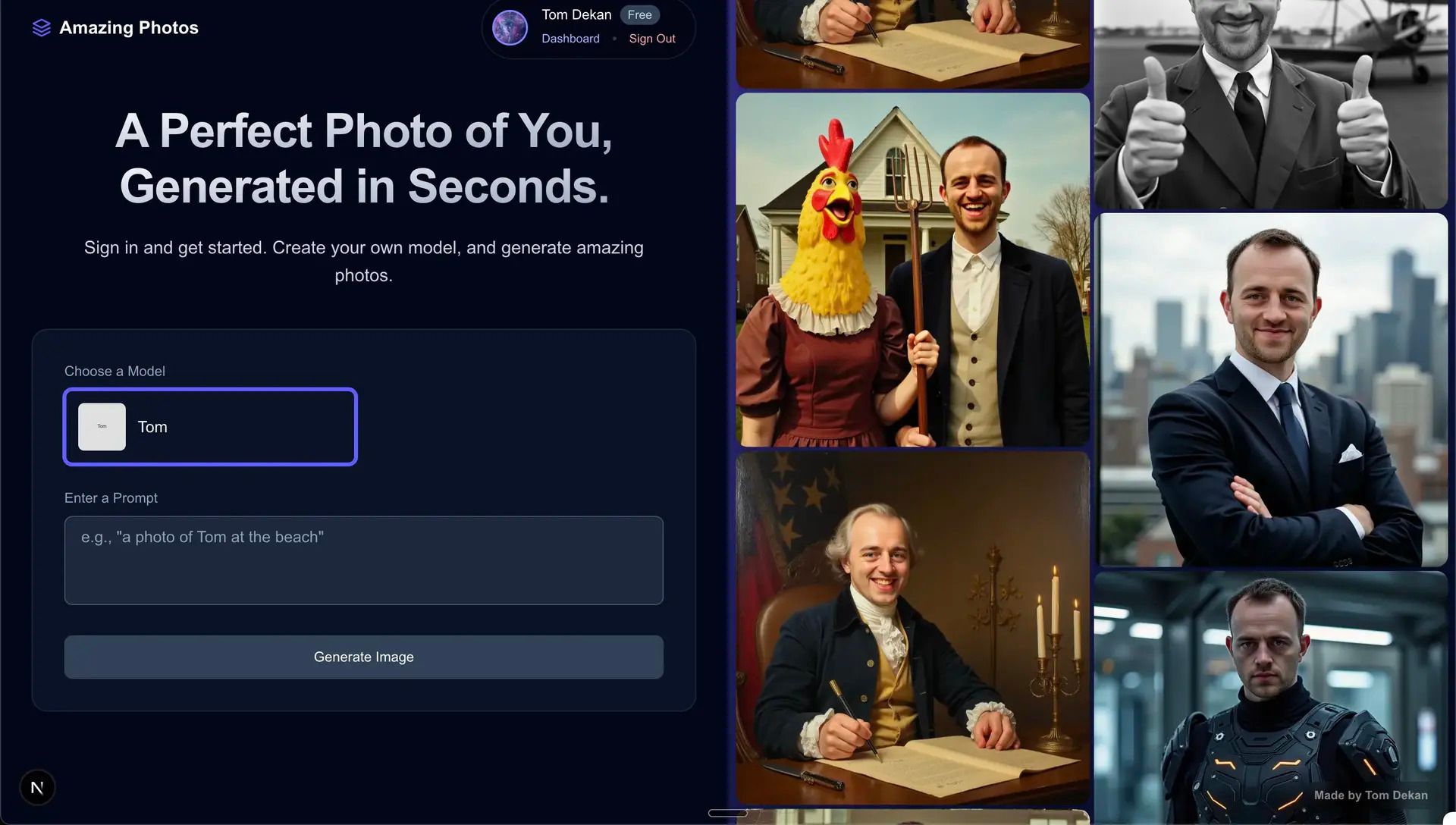
The landing page of amazing.photos
Now, let’s get into the meat of the tech: 🥩
Tech stack
Category | Technology |
|---|---|
Frontend | Next.js, TypeScript, Tailwind CSS |
Authentication | Better Auth |
Payments | Stripe |
AI Training | Flux models (via Replicate) |
Storage | Vercel Blob |
Database | Prisma |
Hosting | Vercel |
Relatively simple, quick to host, cheap.
Note that I’m going off Next.js a little at the moment. Development speed starts to drop quite quickly after the hot-module reloading slows. This started to happen even with my app’s pretty small codebase.
Next time → Django Ninja + React
(My guide here: Use React with Django Ninja (including Auth) in 15 mins ⚡️ )
How does the app work?
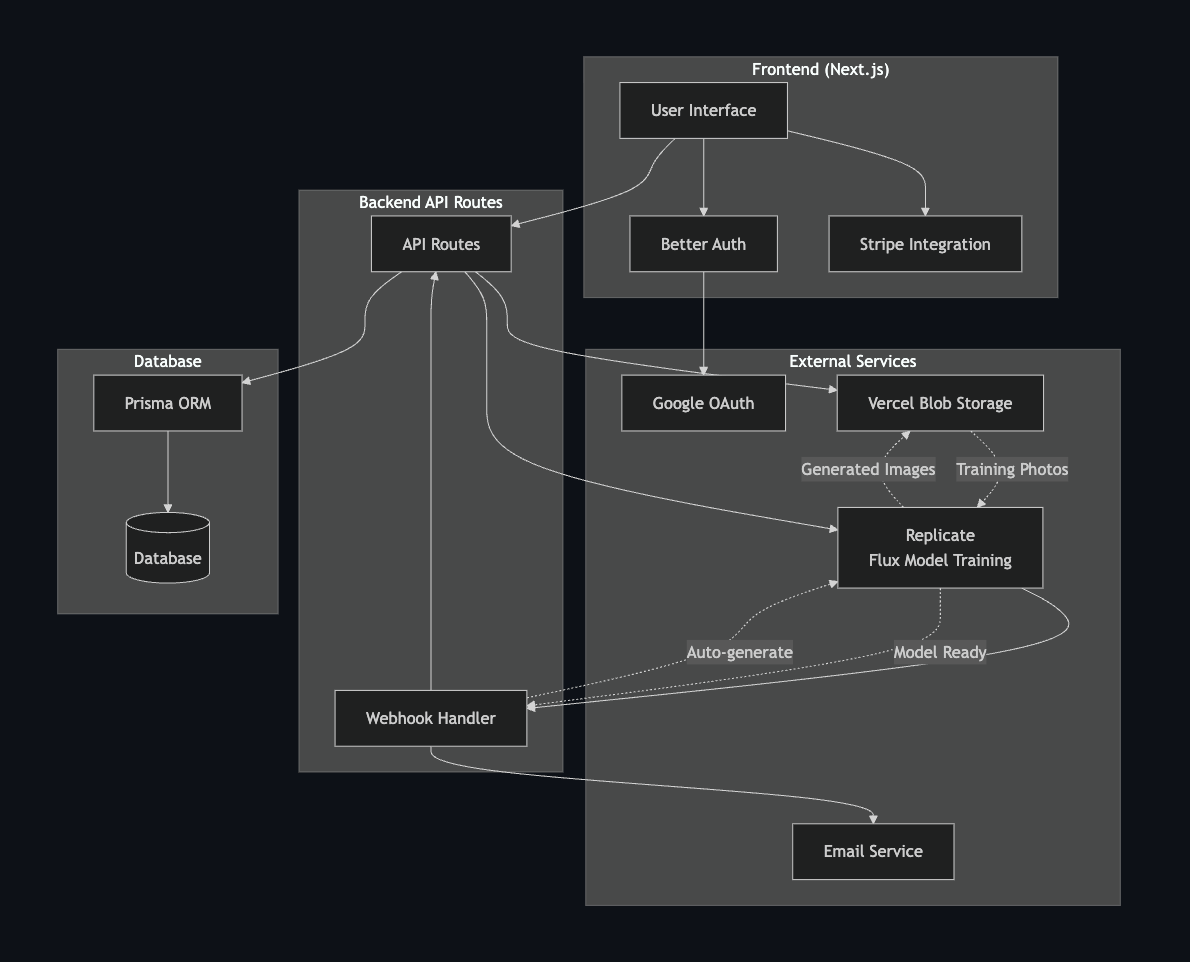
Diagram of how Amazing.photos works
Put simply:
A user logs in using Google sign in and uploads at least 5 photos of themselves (>20 photos is better).
I send the photos to Replicate to train the Flux fast trainer model.
Once training is finished, Replicate sends a webhook to my backend to say that training is finished.
The backend then generates about 12 free images of the user as a sample
Finally, the backend emails the user with these sample images with a link to log in, access their personalized model, and start generating their own images with custom prompts.
When users access their model, they can view the initial images and generate new ones using any prompt they like. More detailed and interesting prompts produce better output.
To train a different model, users just repeat the process.
- Payments are handled through Stripe. (I created a tutorial on Stripe for Next.js here: How to add Stripe to Next.js in 5 minutes 💰.
- Authentication is done with Google sign in via Better Auth, which I highly recommend. I have a tutorial for this with Next.js here: The simplest way to add Google sign-in to your Next.js app.
Things to improve
Parallelize generation. Generation is currently synchronous, meaning that users can only generate one image at a time, which takes about 20 seconds. (Close to eternity in internet time, I know - It's on the list)
Notes from building
The UI was built with a mix of my own coding and AI assistance. While AI coding is very fast, it can make significant mistakes, so it's important to act as the architect guiding the process rather than blindly accepting its output.
As it's open source, I welcome contributions. Feel free to submit a pull request for any cool features. I have also turned the safety checker off, so there are no content restrictions on the types of images people can generate.
I’m excited to put an open-source project into the world!
App here: https://amazing.photos/
Code here: https://github.com/tomdekan/amazing_photos
Next up → a Product Hunt launch
Tom
P.S If we haven’t spoken before (or just in a while), drop me a line with where you are currently. My commitment to you: I respond to every message 🙂
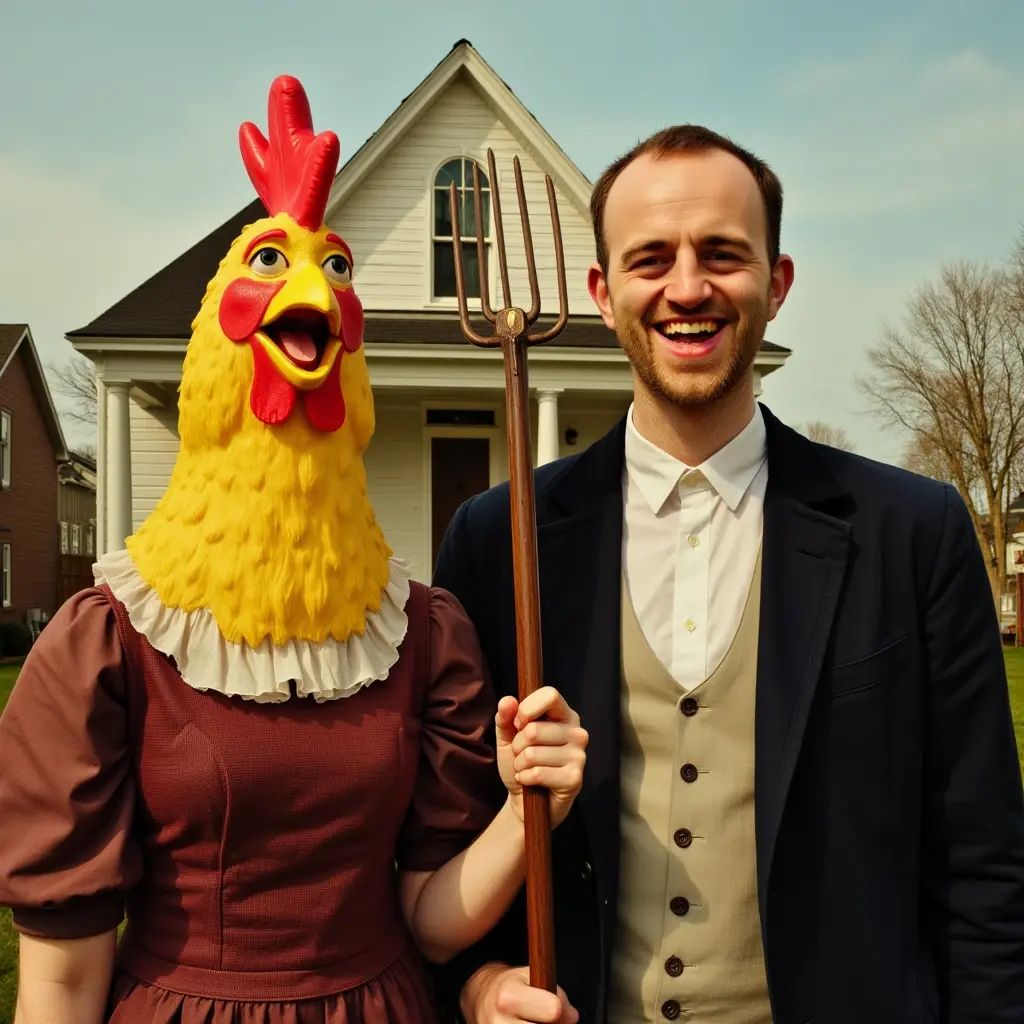
From https://amazing.photos.
(To avoid any doubt, I’m not married to a giant rubber chicken)
Joke: What was the version-control system's favorite instrument?
Answer: The Git-ar 🎉